
Web Tools · 2026
Websites That Replace Apps — No Installation Needed
Open a tab, get the job done — no downloads, no storage used, no permissions asked.
Installing an app for every single task has become a bit ridiculous. Your phone is full, your laptop is slow, and half those apps are sitting there collecting dust after you used them once in 2023. The browser has quietly become powerful enough to handle most of what those apps were doing — and in many cases, it does the job better.
This is a curated list of websites that genuinely replace dedicated apps. No installs, no storage eaten up, no account required in most cases. Just open the link and start using it. I've personally used every one of these and they all hold up — these aren't throwaway tools that do half the job.

Why Browser Tools Beat Installed Apps More Often Than You'd Think
It's not just about convenience. There are real practical reasons to prefer a web tool over an installed app, especially for tasks you do occasionally rather than daily.
| Factor | Installed App | Browser Tool |
|---|---|---|
| Storage used | 100 MB – 2 GB+ | Zero |
| Background processes | Often runs in background | Only when open |
| Permissions needed | Camera, contacts, location… | Only what you allow |
| Works across devices | Re-install on each device | Any device with a browser |
| Always up to date | Manual updates required | Always current |
The trade-off is offline access — installed apps often work without internet. But for most tasks on this list, you're online anyway. Let's get into the sites.
1. Squoosh — Replaces Your Image Compression App
Made by Google, Squoosh is one of the best examples of what a browser tool can actually do. You drag an image in, choose your output format and quality, and download a compressed version — all processed locally in your browser, meaning your image never touches a server.
The side-by-side comparison view is the standout feature. You drag a slider to compare the original and compressed version at any zoom level, so you know exactly what quality you're trading for file size before you download. I've used it to take a 4 MB PNG down to 180 KB with no visible difference.
# What Squoosh does
- Compress JPEG, PNG, WebP, AVIF, and more
- Side-by-side quality comparison before downloading
- Resize images at the same time
- All processing happens in your browser — no upload to servers
- Completely free, no account

# Visit: squoosh.app2. Photopea — Replaces Photoshop for Most People
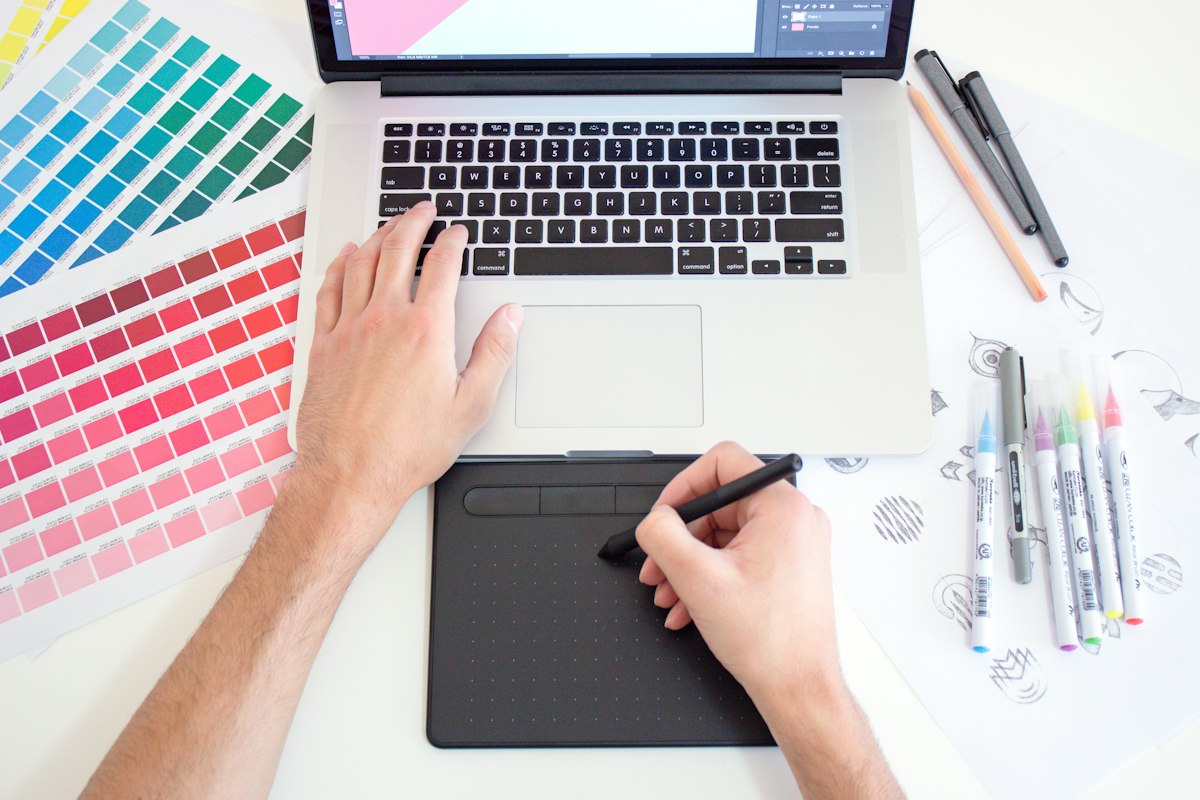
Photopea is the most impressive thing on this list. It's a full Photoshop-style photo editor that runs entirely in a browser tab. Layers, masks, blend modes, pen tool, filters, adjustment layers — it's all there. It even opens PSD files directly, which is something most paid alternatives can't do.
The interface will feel immediately familiar if you've used Photoshop before. If you haven't, it's still one of the better free photo editors available, period — not just "free for a browser tool" but genuinely good. The only cost is occasional ads on the free tier, which a browser extension handles if they bother you.
# Photopea can handle
- Full layer-based editing (groups, masks, adjustment layers)
- Open and save PSD, XCF, Sketch, AI files
- Text tool with proper font rendering
- Clone stamp, healing brush, liquify
- Export to PNG, JPEG, WebP, PDF, PSD

# Visit: photopea.com — no account needed3. Remove.bg — Replaces Background Removal Apps Instantly
Background removal used to be a Photoshop skill that took time to do properly. Remove.bg does it in about three seconds with results that are genuinely impressive on most photos. Drop in a portrait, a product photo, or an object with a clean-ish background and it returns a transparent PNG almost every time.
The free tier gives you a lower-resolution download, which is fine for most web and social media purposes. If you need the full-resolution image, that costs credits — but for casual use, the free version gets the job done without paying anything.
4. iLovePDF — Replaces Every PDF App You've Ever Downloaded

The number of PDF apps people install just to merge two documents or compress a file for email is absurd, and almost none of them are free. iLovePDF does all of it in the browser at no cost — merge, split, compress, rotate, convert Word to PDF, PDF to Word, add page numbers, unlock a password-protected file, and more.
I use it at least twice a week. The interface is clean — you pick your task from the home screen, drag in your file, and download the result. No account needed for basic operations. The free tier does show a small watermark on compressed files, but for most documents — contracts, receipts, reports — it's barely noticeable and definitely not worth paying to remove.
# What iLovePDF covers
- Merge multiple PDFs into one
- Split a PDF into separate pages or ranges
- Compress PDF (reduce file size for email)
- Convert: PDF ↔ Word, Excel, PowerPoint, JPG
- Rotate, unlock, protect, add watermark, add page numbers

# Visit: ilovepdf.com5. Excalidraw — Replaces Diagram and Whiteboard Apps
For quick diagrams, flow charts, wireframes, or just thinking through something visually, Excalidraw is brilliant. It has a deliberately hand-drawn aesthetic that makes diagrams feel approachable rather than corporate, and it's fast to use — shapes, arrows, text, and freehand drawing all work exactly as you'd expect with almost no learning curve.
The real advantage over something like Miro or Lucidchart is that there's nothing to sign up for. Go to excalidraw.com, start drawing, export as PNG or SVG when you're done. Real-time collaboration is also built in — share a link and anyone can draw on the same canvas simultaneously.
6. WeTransfer — Replaces File Transfer Apps for Large Files

Emailing a file that's too large is a frustrating experience that shouldn't still be a problem in 2026. WeTransfer solves it with zero friction — go to wetransfer.com, drag your file in (up to 2 GB on the free tier), add the recipient's email, and it's done. They get a download link, no account needed on either end.
It's the fastest way to send a large video, a folder of photos, or a heavy design file to someone without needing them to be on the same cloud service as you. Files stay available for seven days on the free plan, which is enough for almost any file-sending scenario.
7. Canva — Replaces Design Apps for Non-Designers
Canva barely needs an introduction at this point, but it still belongs on this list because the free tier is genuinely substantial and the web version has become good enough that many people don't bother installing the app at all. Social media posts, presentations, CVs, posters, thumbnails, invitations — all from one browser tab.
What keeps Canva useful even as the AI image generation wave brings more alternatives is the template library. The combination of solid design templates, an easy drag-and-drop editor, and free access to thousands of elements means you can produce something that looks professional in ten minutes without any design background.
# Canva free tier includes
- 1,000,000+ templates (social, presentations, print, video)
- Drag-and-drop editor
- Download as PNG, JPG, PDF
- Brand kit for one brand (colours + fonts)
- Basic AI tools (text to image, background removal — limited uses)

# Visit: canva.com — free account required8. Monkeytype — Replaces Typing Tutor Software
Typing speed software used to be something you installed from a disc or paid a subscription for. Monkeytype is free, browser-based, and honestly better than most of the paid options. You pick a time limit or word count, type the words that appear, and get a detailed breakdown of your WPM, accuracy, and consistency when you're done.
The customisation is what sets it apart — you can set it to words, quotes, code snippets, or your own custom text. There are themes, different difficulty modes, and a leaderboard if you want to track improvement over time. No account needed for basic practice.
9. Notion — Replaces Note Apps, To-Do Apps, and Wikis

If you currently use separate apps for notes, tasks, bookmarks, and project tracking, Notion can fold all of that into one place. The free tier is generous enough for most personal use — unlimited pages, databases, basic AI features, and sharing. It's been fully browser-based since day one, so while the desktop app exists, you don't need it.
The learning curve is real — Notion is more flexible than it is immediately obvious, and it takes a bit of time to set up something that works for you. But once it clicks, it genuinely replaces a pile of other tools. I've seen people ditch Evernote, Todoist, Trello, and their personal wiki all in one go.
10. Cleanup.pictures — Replaces Object Removal Apps
Have a great photo ruined by a tourist, a bin, a stray wire, or a watermark in the corner? Cleanup.pictures lets you paint over any object with a brush and it fills the area in using AI — the results are surprisingly good on busy backgrounds like grass, sky, and brick. It took me a few tries to trust it, but it's now my first stop before reaching for any paid tool.
Free for images up to a certain resolution, which covers most social media and blog use cases. Processing happens quickly and the interface is about as simple as it gets — upload, brush, done.
# How Cleanup.pictures works
1. Upload your photo at cleanup.pictures
2. Use the brush tool to paint over the object you want removed
3. AI fills the area using surrounding context
4. Download the clean image

# Free tier: Standard resolution downloads, no watermark
# Works best on: natural textures (grass, sky, sand, walls)All 10 Sites at a Glance
| Website | Replaces | Account Needed? | Free Tier |
|---|---|---|---|
| Squoosh | Image compressors | No | Fully free |
| Photopea | Photoshop / GIMP | No | Fully free |
| Remove.bg | Background eraser apps | No | Low-res free |
| iLovePDF | Adobe Acrobat | No | Mostly free |
| Excalidraw | Miro / Lucidchart | No | Fully free |
| WeTransfer | File transfer apps | No | 2 GB / transfer |
| Canva | Design apps | Yes (free) | Very generous |
| Monkeytype | Typing tutors | No | Fully free |
| Notion | Notes + task apps | Yes (free) | Unlimited pages |
| Cleanup.pictures | Object removal apps | No | Standard res free |
Frequently Asked Questions
▸ Are these websites safe to upload personal files to?
It depends on the tool. Squoosh and Photopea process everything locally in your browser — your files never leave your device, which makes them completely safe. Remove.bg, iLovePDF, and Cleanup.pictures do upload your files to their servers for processing, then delete them after a short window. For everyday photos, PDFs, and documents, that's generally fine. For anything sensitive — legal documents, medical records, confidential contracts — process locally or use a tool that explicitly states on-device processing.
▸ Do these work on mobile browsers, or do I still need apps?
Most of them work well enough in a mobile browser for basic tasks. Squoosh, iLovePDF, Canva, Excalidraw, WeTransfer, and Remove.bg all function fine on a phone browser. Photopea works but feels cramped on small screens — it's much better on a tablet or desktop. Monkeytype is essentially desktop-only given that it tests typing speed. For the editing tools especially, a larger screen always gives a better experience.
▸ Can I use these offline?
Squoosh and Excalidraw both work offline once the page has loaded, because they're Progressive Web Apps (PWAs) that cache themselves in your browser. The others require an internet connection. If offline access is important, Squoosh is the best option to install as a PWA — open it in Chrome, click the install icon in the address bar, and it runs like a lightweight desktop app without needing a connection.
▸ Is Photopea really as good as Photoshop for everyday editing?
For most common editing tasks — cropping, resizing, removing backgrounds, adjusting colours, adding text, working with layers — it covers around 80% of what Photoshop does. Where it falls short is on performance with very large files, some advanced filters, and the smoothness of tools like the warp and liquify brush compared to Photoshop's native implementation. If you're a professional working on high-resolution print files every day, Photopea isn't a replacement. For everyone else, it handles the job.
▸ Which of these is worth bookmarking right now even if I don't need it yet?
iLovePDF and Squoosh — because the moment you need them you'll need them quickly, and spending five minutes searching for a PDF tool you half-remember at the exact moment you need to send a compressed file is genuinely annoying. Bookmark both now, thank yourself later.
Conclusion
The pattern across all ten of these is the same: the browser has caught up. What used to require a hefty install, a paid licence, or a full creative suite can now be done in a tab, often in less time than it would take to find and download the app equivalent. The best reason to keep an app installed is either offline access or daily professional-level use — everything else, check if there's a browser version first.
Start with the ones that match a frustration you've had recently. If you've been emailing compressed images manually, try Squoosh. If you've been bouncing between three PDF tools, try iLovePDF. That first moment of "wait, this just works?" tends to change how you think about what needs to be installed at all.
The recommended bookmark order
Start with iLovePDF (you'll need it sooner than you think) → bookmark Squoosh for images → use Photopea next time you need a quick edit → try Excalidraw in your next meeting → Cleanup.pictures for that one photo you've been meaning to fix.
All free. All open in seconds.